A client came to me last year wanting a website, a logo, social media on five platforms, Google Ads, a blog, email marketing, and a YouTube channel. She'd been researching "how to start a business online" and was convinced she needed all of it to launch her yoga studio in Groningen.
She needed about three of those things.
I've had this conversation dozens of times at StudioFab.nl. A new business owner Googles "digital marketing checklist" and gets buried under advice that's either premature, expensive, or aimed at companies with a marketing team and a six-figure budget. No wonder most people either try to do everything at once (and do it all badly) or freeze up and do nothing.
After 50+ projects for freelancers and small businesses in the Netherlands and DACH region, I know what actually moves the needle when you're starting from zero. Here's the order I'd do it in if I were launching today.
First: Know What You're Saying Before You Say It
Before you open Canva or register a domain, answer three questions. Write the answers down.
Who do you serve? Not "everyone." A yoga teacher who says "busy professionals in Groningen who want stress relief" will build a better business than one who says "anyone who likes yoga." Specificity attracts. Vagueness repels.
What do you do for them? In their words, not yours. "I teach busy professionals how to manage stress through yoga" beats "I provide holistic wellness solutions" every time.
What makes you different? Maybe it's your background, your speed, your personality, your pricing, or a niche nobody else serves. For me at StudioFab, it's that I deliver in under 5 days, starting from €499, and you work directly with me. No project managers, no revision ping-pong.
These answers become your website copy, your social media bio, your elevator pitch. If they're vague, everything built on top of them will be vague too.
Your Brand Identity: Three Things, Not Thirty
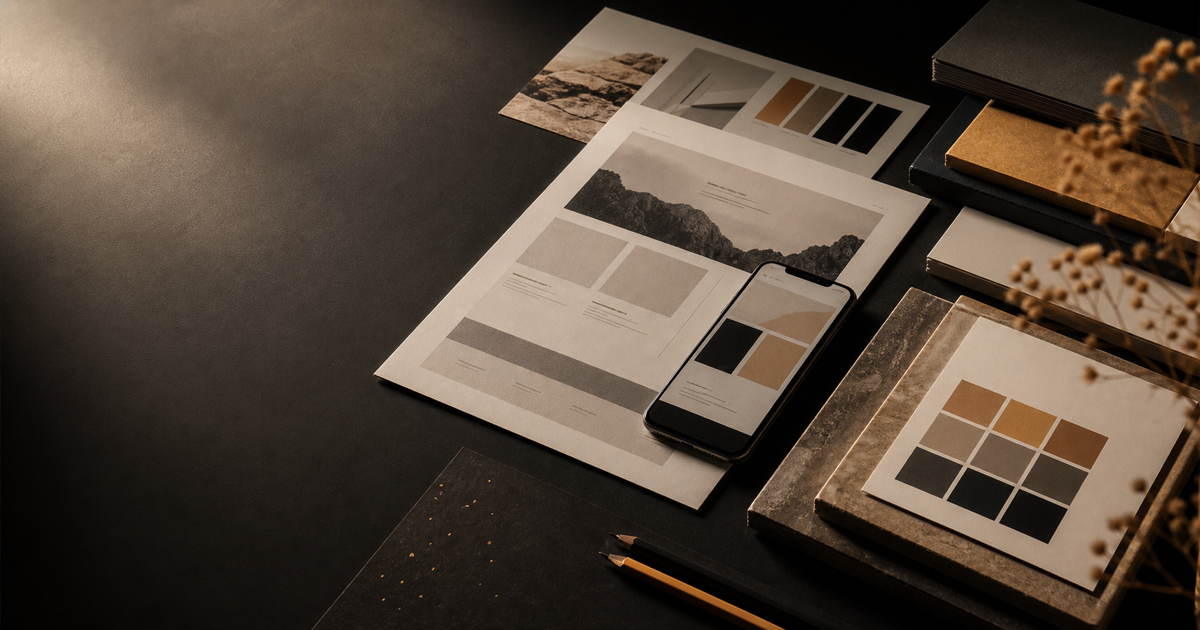
You need a logo, two or three colors, and two fonts. That's the whole brand kit for a new business.
Your logo doesn't need to be a masterpiece. It needs to look clean at phone-screen size. Some of the strongest logos are just a name in a distinctive typeface. What kills you is clipart, overly complex illustrations, or trendy design that looks dated in two years.
For colors: pick one primary brand color that people will associate with you, one neutral for text and backgrounds, and optionally one accent for buttons and calls-to-action. Use them everywhere. Website, social media, invoices, email signature. Consistency builds recognition faster than anything else.
I handle brand identity as part of every web design project at StudioFab. We define the visual direction together before I touch any code. Takes a few hours, not weeks.
Your Website: The One Thing You Actually Own
Everything else you do online should point back here. Social media posts, business cards, Google listing, email signature. All roads lead to your website.
After building 50+ business websites, I can tell you the ones that generate leads share a few traits:
Clarity up front. "Freelance photographer for food brands in Amsterdam" works. "Welcome to my creative journey" doesn't. You have about three seconds before a visitor decides to stay or leave.
Proof that you're real. Testimonials, project numbers, client logos. If you're just starting, ask your first few clients for a short quote. Even two or three testimonials change how people perceive you.
Clear services and pricing. What do you offer? What does it roughly cost? What's the process? Vagueness kills conversions. If a potential client can't figure out what you sell within 30 seconds, they'll find someone who makes it easier.
A proper contact form. Name, email, project details. "DM me" on Instagram is not a lead capture strategy.
Mobile-first design. Over 60% of web visits are mobile. If your site breaks on a phone, you're losing most of your audience.
SEO basics baked in. Proper page titles, meta descriptions, heading hierarchy, image alt text, and content written around the keywords your clients actually search for. This alone puts you ahead of 90% of local competitors.
Google Business Profile: Free and Criminally Underused
If you serve a local area, and most freelancers do, Google Business Profile is the single most powerful free tool available to you.
Search "photographer near me" or "web designer Friesland" or "Italian restaurant Leeuwarden." The first thing you see is a map with Google Business listings. If you're not there, you're invisible for local searches.
Setup takes 30 minutes: claim your business, add your website, hours, phone, address, upload at least 5 quality photos, write a clear description with keywords, and pick the right service categories.
Then ask your first clients for Google reviews. This part matters more than people realize. Businesses with more positive reviews rank higher and convert better. After every project, send the client a direct link to your review page. Make it as easy as possible.
Social Media: Pick One Platform and Do It Well
This is where new business owners waste the most energy. They create accounts on Instagram, Facebook, LinkedIn, TikTok, Pinterest, and YouTube, then post inconsistently on all of them because there aren't enough hours in the day.
Pick one. Maybe two. Do them well.
LinkedIn if you serve other businesses. Consultants, coaches, B2B services. Instagram if your work is visual. Photographers, designers, food businesses, fitness. Facebook if you serve a local community or an older audience. TikTok if you're comfortable on camera and your audience skews younger.
Three posts a week on one platform beats one post a month across five. You don't need to go viral. You need to show up consistently so that when someone needs what you offer, your name is the first one they think of.
Content doesn't have to be fancy. Behind-the-scenes photos, client results (with permission), quick tips from your field, before-and-afters. People hire people they feel they know. Social media builds that familiarity.
SEO for Small Businesses: Simpler Than You Think
SEO sounds intimidating. For local businesses, the basics carry you surprisingly far.
Local SEO means showing up when someone searches "[your service] + [your city]." Web designer Leeuwarden. Yoga studio Groningen. Wedding photographer Amsterdam. To make this work, your website mentions your location and services naturally, your Google Business Profile is complete, you have Google reviews, and your site loads fast on mobile.
Content SEO means every page or blog post you publish is another chance to rank. A photographer who writes "How to Choose a Wedding Photographer in Amsterdam" will show up for that search. A yoga teacher who writes "Best Yoga Poses for Office Workers" attracts exactly her target audience. This is where a blog becomes a business asset, not a chore.
What You Can Skip (For Now)
Paid ads, until your website actually converts. Email marketing, until you have an audience. A blog, if writing isn't your thing (strong service pages do plenty of work on their own). A social media manager, until the revenue justifies the cost. Fancy tools like CRMs and automation platforms, when you have five clients and a spreadsheet works fine.
You can add all of these later. Right now, nail the foundation.
Getting It All Done Without Losing Your Mind
At StudioFab.nl, I bundle everything in this post into a single package: brand identity, website design and development, SEO setup, Google Business Profile guidance, and social media templates. Delivered in under 5 days, starting from €499.
It's built for freelancers and small businesses in the Netherlands who want to look professional, get found on Google, and start landing clients without spending months or thousands of euros figuring it out alone.
You focus on your craft. I'll make sure people can find you.
Visit StudioFab.nl or get in touch directly to see what's included and book a free consultation. I'll be straight about whether it's the right fit for your situation. And if you're curious what else I'm building, take a look at My Projects.